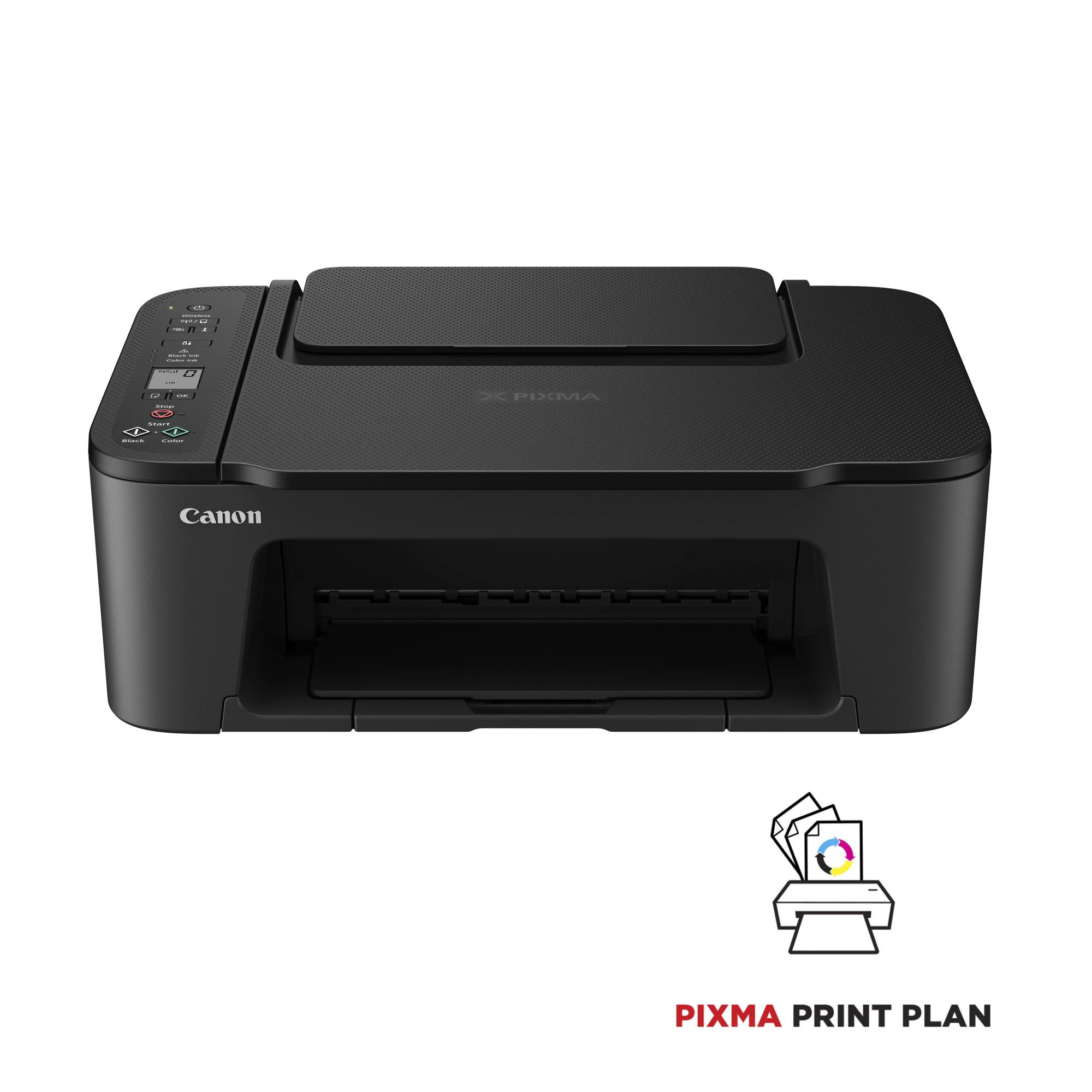
Canon PIXMA TS3550i. Print technology: Inkjet, Printing: Colour printing, Maximum resolution: 4800 x 1200 DPI. Copying: Colour copying. Scanning: Colour scanning, Optical scanning resolution: 600 x 1200 DPI. Duplex functions: Print. Maximum ISO A-series paper size: A4. Wi-Fi. Product colour: Black
Tehniskā specifikācija
Duplex printing mode
Manual
Maximum resolution
4800 x 1200 DPI
Print speed (ISO/IEC 24734) colour
4 ipm
Print speed (ISO/IEC 24734) mono
7.7 ipm
Maximum number of copies
20 copies
Input colour depth
16 bit
Input greyscale depth
16 bit
Maximum scan area
216 x 297 mm
Optical scanning resolution
600 x 1200 DPI
Output colour depth
8 bit
Output greyscale depth
8 bit
Scanner type
Flatbed scanner
Printing colours
Black,Cyan,Magenta,Yellow
Total input capacity
60 sheets
Total number of input trays
1
Borderless printing media sizes
10x15/13x13/13x18
Custom media length
127 - 676 mm
Custom media width
89 - 215.9 mm
ISO A-series sizes (A0...A9)
A4/A5
ISO B-series sizes (B0...B9)
B5
Maximum ISO A-series paper size
A4
Non-ISO print media sizes
Legal/Letter
Paper tray media types
Photo paper/Plain paper
Photo paper sizes
10x15/13x13/13x18 cm
Mobile printing technologies
Apple AirPrint/Canon Easy-PhotoPrint/Mopria Print Service/PIXMA Cloud Link
Security algorithms
WEP/WPA2-PSK/WPA-PSK
Wi-Fi standards
802.11b/802.11g/Wi-Fi 4 (802.11n)
Market positioning
Home & office
AC input frequency
50 - 60 Hz
AC input voltage
100 - 240 V
Power consumption (copying)
9 W
Power consumption (off)
0.3 W
Mac operating systems supported
MAC/Mac OS X 10.13 High Sierra/Mac OS X 10.14 Mojave/Mac OS X 10.15 Catalina/Mac OS X 10.15.3 Catalina/Mac OS X 10.2 Jaguar/Mac OS X 10.3 Panther/Mac OS X 10.4 Tiger/Mac OS X 10.5 Leopard/Mac OS X 10.6 Snow Leopard/Mac OS X 10.7 Lion/Mac OS X 10.7.5 Lion
Mobile operating systems supported
Android/iOS
Windows operating systems supported
Windows 10/Windows 11/Windows 8.1
Operating relative humidity (H-H)
10 - 80 %
Operating temperature (T-T)
15 - 30 °C
ELKO Internal Logistics Data
Shipping Box Depth
48.3 cm
Shipping Box Height
39 cm
Shipping Box Weight
5.3 kg
Shipping Box Width
19.4 cm
The PIXMA TS3550i is a compact and easy-to-use printer, scanner and copier. It’s simple to set up, with wireless connection at the touch of a button. Control it remotely with the latest technology: you can copy, scan or print from smartphone and tablet using the Canon PRINT app, or print app-free with AirPrint (iOS) and Mopria (Android). Access Point Mode allows you to connect your device directly to the printer without the need for an internet connection or router. Keep your documents crisp and images bright with FINE cartridges, and get creative with the Easy-PhotoPrint Editor app and Canon Creative Park. This 3-in-one inkjet printer is an ideal first printer, with essential features at an affordable price and is compatible with the PIXMA Print Plan, a monthly subscription for inks based on pages printed.
- Compatible with the PIXMA Print Plan, a monthly subscription to get inks delivered automatically to your door before you run out, with different tariffs available to suit your usage
- Print, copy or scan from your tablet or smartphone using the Canon PRINT app, with wireless compatibility and a clean, simple interface, or print without needing an app using AirPrint (iOS) or Mopria (Android)
- Status updates are clearly shown on the 3.8 cm mono segment LCD screen
- Connect directly to your camera with Wi-Fi PictBridge technology
- Compatible with Windows, Chrome OS and Mac OS
- With a compact, modern design and excellent value, you can print, scan and copy effortlessly
- Get up and running in less time than ever with a Wireless Connect button to link to external devices, and an easier setup procedure
- Versatile rear tray can be loaded with restickable photo paper, magnetic photo paper, square media and various kinds of photo paper for creative projects
- Print borderless photos up 13 x 18 cm in size; a 10 x 15 cm photo prints in just 65 seconds
Produktu pieejamība var atšķirties atkarībā no ELKO izplatīšanas reģiona.