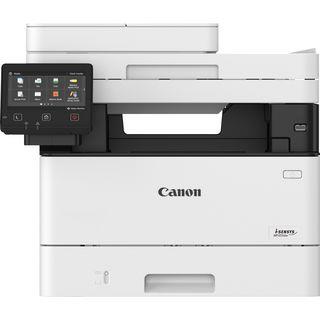
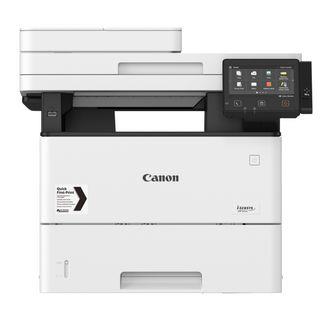
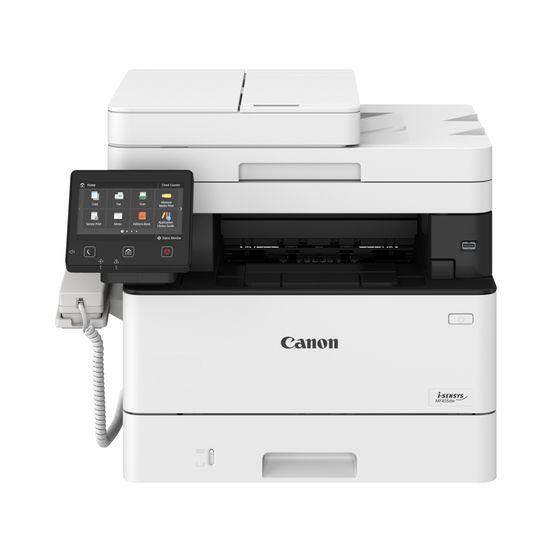
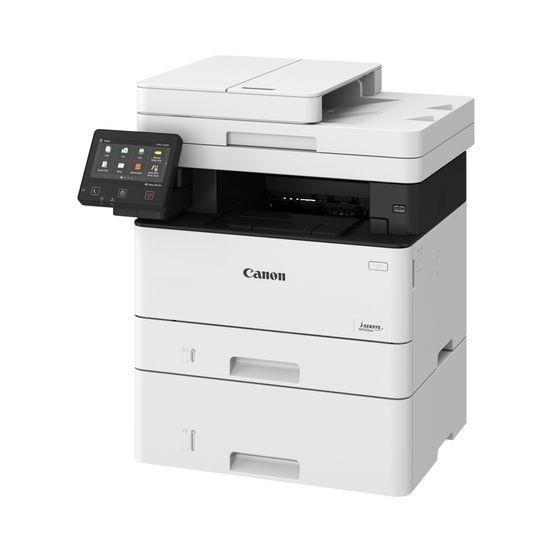
Canon i-SENSYS MF453DW. Print technology: Laser, Printing: Mono printing, Maximum resolution: 1200 x 1200 DPI. Copying: Mono copying, Maximum copy resolution: 600 x 600 DPI. Scanning: Colour scanning, Optical scanning resolution: 600 x 600 DPI. Duplex functions: Copy, Print, Scan. Maximum ISO A-series paper size: A4. Wi-Fi. Direct printing. Product colour: Black, White
Tehniskā specifikācija
Duplex printing mode
Auto
Maximum resolution
1200 x 1200 DPI
Print speed (black, normal quality, A4/US Letter)
38 ppm
Time to first page (black, normal)
5.5 s
ID-card copy function
Yes
Maximum copy resolution
600 x 600 DPI
Maximum number of copies
999 copies
Document formats supported
PDF
Image formats supported
JPEG/TIFF
Input colour depth
24 bit
Optical scanning resolution
600 x 600 DPI
Output colour depth
24 bit
Scan drivers
ICA/TWAIN/WIA
Duplex functions
Copy/Print/Scan
Maximum duty cycle
80000 pages per month
Page description languages
PCL 5e/PCL 6/PostScript 3/UFRII
Printer fonts
PCL/PostScript
Recommended duty cycle
750 - 4000 pages per month
Auto document feeder (ADF)
Yes
Auto document feeder (ADF) input capacity
50 sheets
Maximum input capacity
900 sheets
Multi-Purpose tray input capacity
100 sheets
Total input capacity
250 sheets
Total number of input trays
1
Total output capacity
150 sheets
Envelopes sizes
C5/Com-10/DL/Monarch
ISO A-series sizes (A0...A9)
A4/A5/A6
ISO B-series sizes (B0...B9)
B5
Maximum ISO A-series paper size
A4
Multi-Purpose Tray media weight
60 - 163 g/m²
Non-ISO print media sizes
Executive/Index card/Legal/Letter/Statement
Paper tray media types
Envelopes/Heavy paper/Labels/Plain paper/Postcard/Recycled paper/Thin paper
Paper tray media weight
60 - 120 g/m²
Cabling technology
10/100/1000Base-T(X)
Ethernet LAN data rates
10,100,1000 Mbit/s
Mobile printing technologies
Apple AirPrint/Canon PRINT Business/Mopria Print Service
Security algorithms
128-bit WEP/64-bit WEP/WPA2-AES/WPA2-PSK/WPA2-TKIP/WPA-AES/WPA-PSK/WPA-TKIP
Wi-Fi standards
802.11b/802.11g/Wi-Fi 4 (802.11n)
Processor frequency
800 MHz
Sound pressure level (printing)
53 dB
Market positioning
Business
Product colour
Black,White
AC input frequency
50 - 60 Hz
AC input voltage
220 - 240 V
Energy Star Typical Electricity Consumption (TEC)
0.33 kWh/week
Power consumption (max)
1370 W
Power consumption (printing)
500 W
Power consumption (sleep)
0.9 W
Power consumption (standby)
9.4 W
Linux operating systems supported
Yes
Mac operating systems supported
Mac OS X 10.11 El Capitan/Mac OS X 10.12 Sierra/Mac OS X 10.13 High Sierra/Mac OS X 10.14 Mojave/Mac OS X 10.15 Catalina/Mac OS X 10.15.3 Catalina/Mac OS X 10.2 Jaguar/Mac OS X 10.3 Panther/Mac OS X 10.4 Tiger/Mac OS X 10.5 Leopard/Mac OS X 10.6 Snow Leop
Server operating systems supported
Windows Server 2008/Windows Server 2008 R2/Windows Server 2012/Windows Server 2012 R2/Windows Server 2016/Windows Server 2019
Windows operating systems supported
Windows 10/Windows 11/Windows 8.1
Operating relative humidity (H-H)
20 - 80 %
Storage temperature (T-T)
10 - 30 °C
Export Control Classification Number (ECCN)
EAR99
Harmonized System (HS) code
84433100
Product Net Weight
17.2 kg
ELKO Internal Logistics Data
Shipping Box Depth
58.9 cm
Shipping Box Height
56 cm
Shipping Box Weight
22.1 kg
i-SENSYS MF450 Series
Boost your business productivity with fast and efficient multi-functional black and white laser printers, featuring native cloud connectivity.
Make easy work of mono printing and scanning
The Canon i-SENSYS MF450 Series offers multi-functional devices designed to streamline workflows and integrate with the cloud, as well as offering a range of mobile access options.
Cloud connectivity
Print or scan from the cloud, with one -touch built-in connectivity to cloud storage services, including Google Drive, DropBox, and OneDrive.
Mobile printing
Conveniently print documents from your from smartphone or tablet with the Canon PRINT Business app, or via AirPrint (iOS) and Mopria (Android).
Reliable security
Protect your documents with Secure PIN functionality, which restricts access to printed sensitive documents, and avoid hacking or virus threats with Verify System at Startup.
Superior efficiency
Super-fast print speeds, double-sided single-pass scanning and double-sided printing as standard ensure ultimate productivity.
Customised workflows
Automate everyday tasks such as printing stored forms, scanning to email, and copying documents with on-screen buttons and Canon’s Application Library.
Produktu pieejamība var atšķirties atkarībā no ELKO izplatīšanas reģiona.